
1.E-book brief
E-Book function can classify a series of LGV files into a set of electronic documents,display as album,it is used for products information archiving and samples releasing.The interface includes two parts: the left area is E-Book directory ,the right area is added LGV file information.
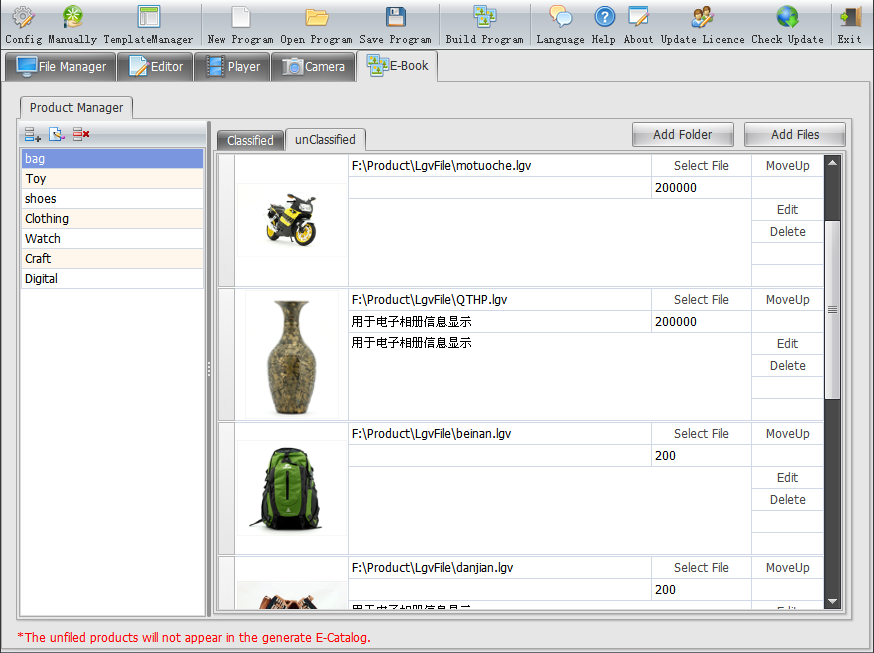
2.E-book main function
The "Product Management" bar of left E-Book, its functions as follows: |
Add category.Click it and enter a name, "bags and suitcases" for example. |
 |
Edit category. |
 |
Delete category. |
The menu bar is on top of E-Book, its functions as follows:
 |
New Program, SCH as its format. |
 |
you can open a sch E-Book program, so as to edit and manage it. |
 |
Save Program. |
 |
It directly bulids a exe format E-Book that you can easily play. |
3.How to edit a bteer E-Book?
Click "Open Program" and open a sch E-Book program for editting, you can't reedit it if you don't save as a sch format E-Book program. We suggest clicking "save program"before build a E-Book, so as to edit and modify later.
Notice:
Please refer to the making process if you want more information about how to make a E-Book.